Door Access Control Systems Explained: Types, Components & How They Work
A door access control system allows a business to decide who can enter, where they can enter and when they can enter. Instead of relying only on traditional keys, modern systems use cards, PINs, fingerprints, facial recognition and other credentials to verify users before unlocking a door.
For offices, warehouses, schools, healthcare facilities, commercial buildings and other workplaces, this creates a more controlled approach to physical security. But with different access methods, door hardware and system configurations available, choosing the right solution can be confusing.
Understanding how access control works, what components are involved and which type suits your premises can help you make a more practical security investment.
What Is a Door Access Control System?
A door access control system is an electronic security solution designed to regulate entry into specific areas of a building. Rather than giving every employee a physical key, the system assigns access permissions to individual users.
When someone presents an approved credential, the system checks it against stored authorization information. If the credentials are valid and the user has permission to enter at that time, the door is unlocked. If access is not authorized, the door remains secured.
This approach gives businesses greater control over their premises while creating an electronic record of access activity.
It can be particularly useful for areas such as:
Main entrances
Employee-only sections
Server and IT rooms
Financial or records departments
Warehouses and stockrooms
Laboratories
Restricted production areas
Executive offices
The objective is not necessarily to make every door difficult to access. It is to make sure the right people have the right access at the right time.
How Does Door Access Control Work?
1. A User Presents a Credential
The user identifies themselves through a permitted access method. This could be a proximity card, RFID card, PIN, fingerprint, palm vein, facial recognition or another biometric credential.
2. The System Verifies the User
The access control reader sends the credential information to the relevant controller or access management software. The system checks whether the user is authorized for that particular door.
3. Access Rules Are Checked
Authorization may depend on more than identity. Businesses can create permissions based on specific doors, zones, dates and time schedules.
For example, an employee might be allowed into the main office between 8 a.m. and 7 p.m. but have no permission to enter a server room.
4. The Door Responds
If access is approved, the controller activates the door locking mechanism and allows entry. If the credentials are rejected, access remains restricted.
5. The Event Can Be Recorded
Depending on the system, information such as the user, door and access time can be recorded. This creates a useful audit trail for security management and incident reviews.
The Main Components Behind an Access Control System
A door access system is more than a reader mounted beside a door. Several components work together to provide secure and controlled entry.
Access Control Reader
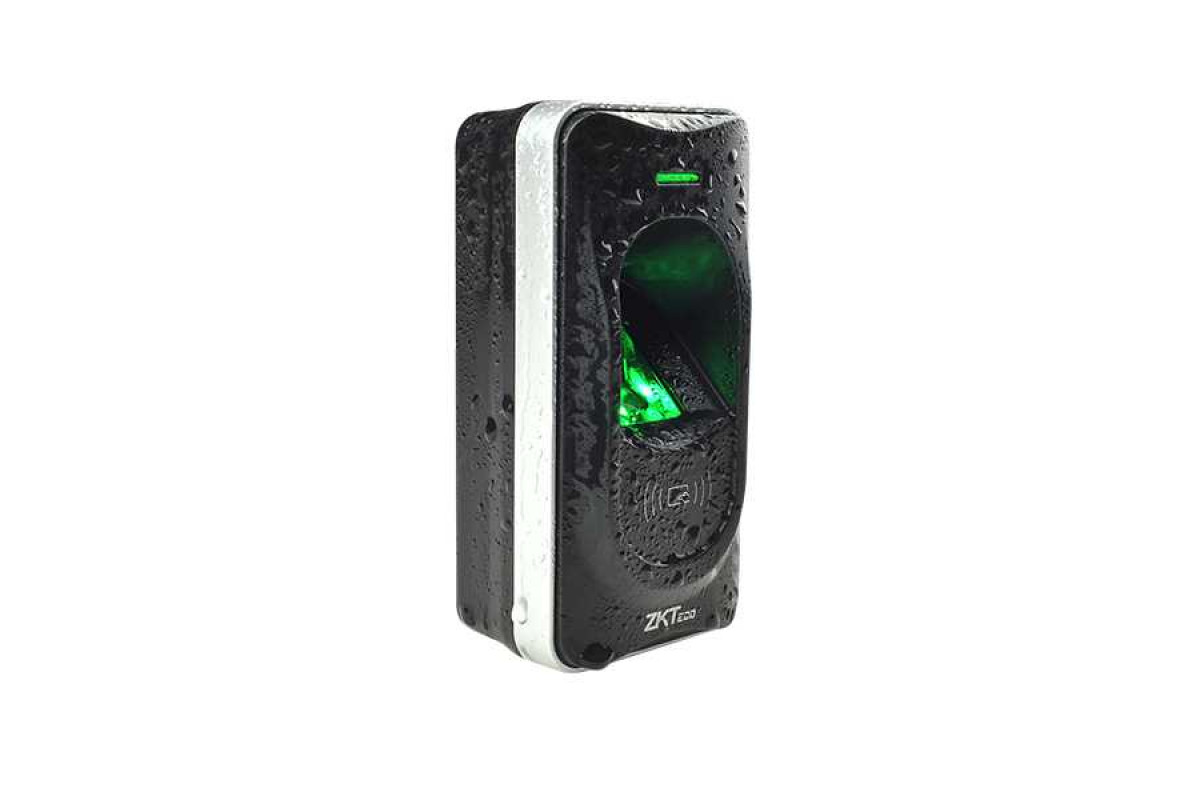
The reader is the point where users present their credentials. Depending on the system, it may support RFID cards, PINs, fingerprints, facial recognition, palm vein identification or multiple authentication methods.
Biometric readers can be particularly useful where businesses want authentication to be linked directly to the individual rather than a physical card.
Access Controller
The controller acts as the decision-making component of the system. It processes authorization information and communicates with the locking hardware.
For larger businesses, multiple controllers can be connected to a centralized access management platform, allowing administrators to manage several doors or zones from one location.
Electronic Door Lock
The lock physically controls the door. Depending on the door and security requirements, a system may use an electromagnetic lock, electric strike or another compatible locking mechanism.
Choosing the correct lock is important because the door type, usage frequency and safety requirements all influence which hardware is appropriate.
Door Sensor
A door sensor can indicate whether a door is open or closed. This can help identify situations such as a door being left open or opened when it should remain secured.
Access Management Software
For networked systems, software provides centralized control over users, permissions, schedules and access records.
Administrators can add or remove users, change access rights and review events without manually changing locks throughout the building.
What Are the Different Types of Door Access Control?
security requirements, convenience and the type of users entering the premises.
Card and RFID Access
Card-based systems allow users to enter by presenting an authorized proximity or RFID card to a reader.
They are convenient for offices with a large number of employees because credentials can be issued, modified or deactivated without replacing physical locks.
The main consideration is that a lost or shared card can create a security concern, so businesses need a clear process for disabling missing credentials.
PIN-Based Access
A keypad allows users to enter a predefined code to unlock a door.
PIN systems can be simple and cost-effective, especially for smaller restricted areas. However, businesses should avoid easily guessed codes and consider changing shared credentials when necessary.
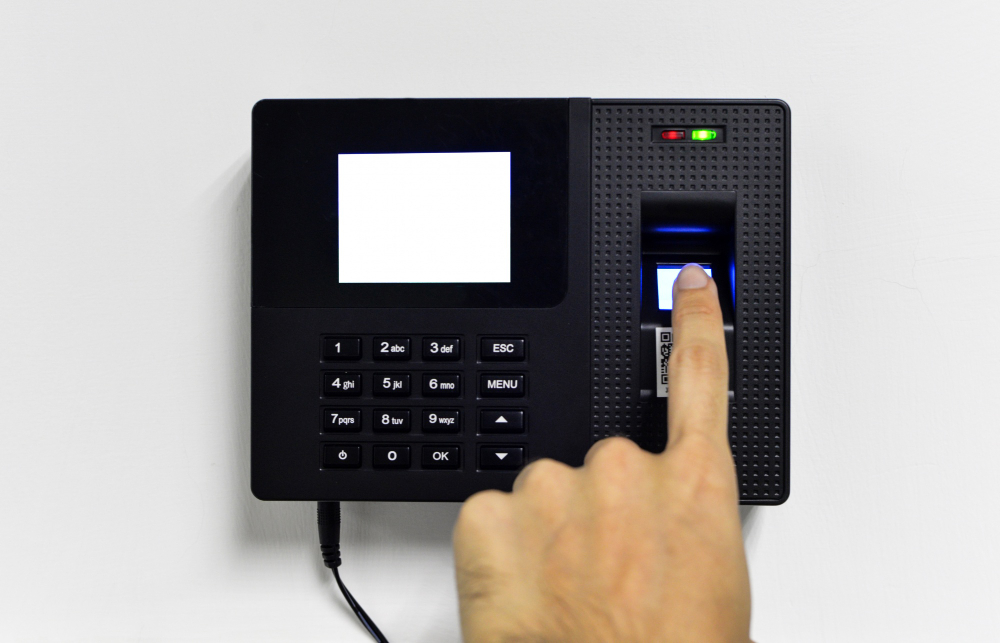
Biometric Access Control
Biometric systems identify users through physical characteristics such as fingerprints, facial features or palm vein patterns.
One major advantage is that the credential is associated with the individual rather than a physical access card. This can make biometric access control useful for high-security areas or businesses that need stronger identity verification.
Multi-Factor Access
Some environments require more than one form of authentication. For example, a user may need both a card and a PIN or another combination of credentials.
This adds another layer of verification and can be appropriate for highly restricted areas.
Why Are Businesses Moving Beyond Traditional Keys?
Traditional keys can still be useful in certain situations, but they provide limited visibility into who has entered a property.
If an employee loses a key or leaves the company, managing access can mean collecting keys or replacing locks. With an electronic access control system, credentials can generally be disabled through the system without changing the physical locking hardware.
More importantly, businesses can establish different access levels.
Better Control Over Restricted Areas
Not every employee needs access to every room. Access control allows businesses to separate general areas from sensitive spaces.
Easier Employee Access Management
New employees can be added, while former employees’ credentials can be removed. This makes access administration more organized.
Improved Monitoring
Electronic records can help management understand who accessed a particular area and when, depending on the system configuration.
Flexible Time-Based Permissions
Access rights can be linked to schedules, allowing certain users to enter only during approved working hours.
Can Access Control Work With CCTV and Other Security Systems?
Yes. A well-designed security environment does not need to operate as a collection of disconnected systems.
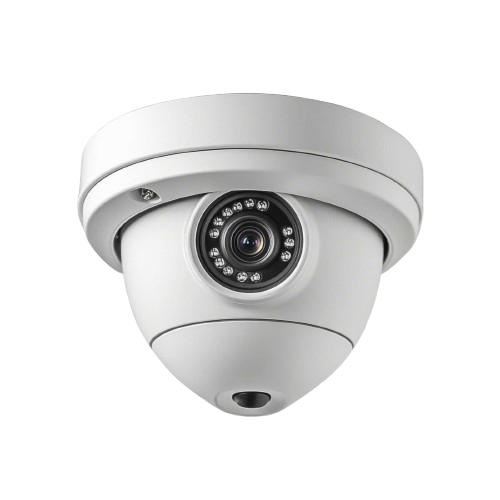
Access control can be integrated with CCTV so that security teams can correlate access events with video footage. For example, if an access event occurs at a restricted door, associated camera footage may help provide additional visual context.
Access control can also work alongside time attendance systems, visitor management solutions, intercom systems and other security technologies. The exact level of integration depends on the equipment, software and system architecture selected.
This becomes particularly valuable for larger facilities where security teams need a centralized view of activity.
What Should You Consider Before Installing Access Control?
The right system starts with the building rather than the equipment catalogue.
Assess Every Entry Point
Identify which doors require controlled access and separate them into general, restricted and high-security areas.
Consider the Number of Users
A small office may need a simple standalone system, while a large organization may require centralized management across multiple doors and locations.
Choose the Right Authentication Method
Consider whether cards, PINs, biometrics or multiple credentials offer the right balance of convenience and security.
Think About Future Expansion
If your business is growing, choose a system that can support additional doors, users and access zones later.
Plan for Power and Network Requirements
Network-based systems require suitable infrastructure, while electronic locks and readers require dependable power. Backup arrangements should also be considered where continuous security is important.
Do Not Overlook Door Hardware
Even the most advanced reader cannot compensate for an unsuitable locking mechanism or poorly configured door. Reader, controller, lock, sensor and exit hardware should work together as one system.
Is an Access Control System Worth It for Your Business?
For businesses that need better control over physical entry, an access control system can offer significant advantages over traditional keys alone. It provides a structured way to manage permissions, restrict sensitive areas and maintain greater visibility over access activity.
The best system, however, is not necessarily the one with the most features. A small office may need straightforward card access, while a corporate building, industrial facility or high-security environment may benefit from biometric identification, centralized management and multiple access levels.
The goal should always be to create security that fits the way your premises actually operate.
Conclusion
Good physical security is about more than keeping a door locked. It is about knowing who is permitted to cross that door, controlling the circumstances under which they can do so and having the information needed to respond when something does not look right.
SAN Security LLC provides access control solutions designed around different business requirements, including biometric, card and other authentication technologies. With the right combination of hardware, access policies and professional system planning, businesses can create a more organized and dependable approach to protecting people, property and sensitive areas.